
How to grab reports
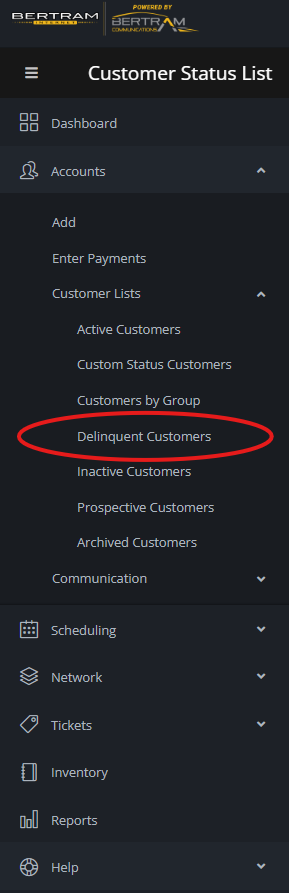
Go to the portal menu and select accounts and then select Delinquent Customers.
Let the list generate and at the bottom right you should see an export option to .CSV, if you do not see this contact I.T. to give you permissions if you are authorized to do so.
No comments to display
No comments to display