
How to set up Delinquent reports
Once you've downloaded the .CSV files you open them in your google workspace sheets program.
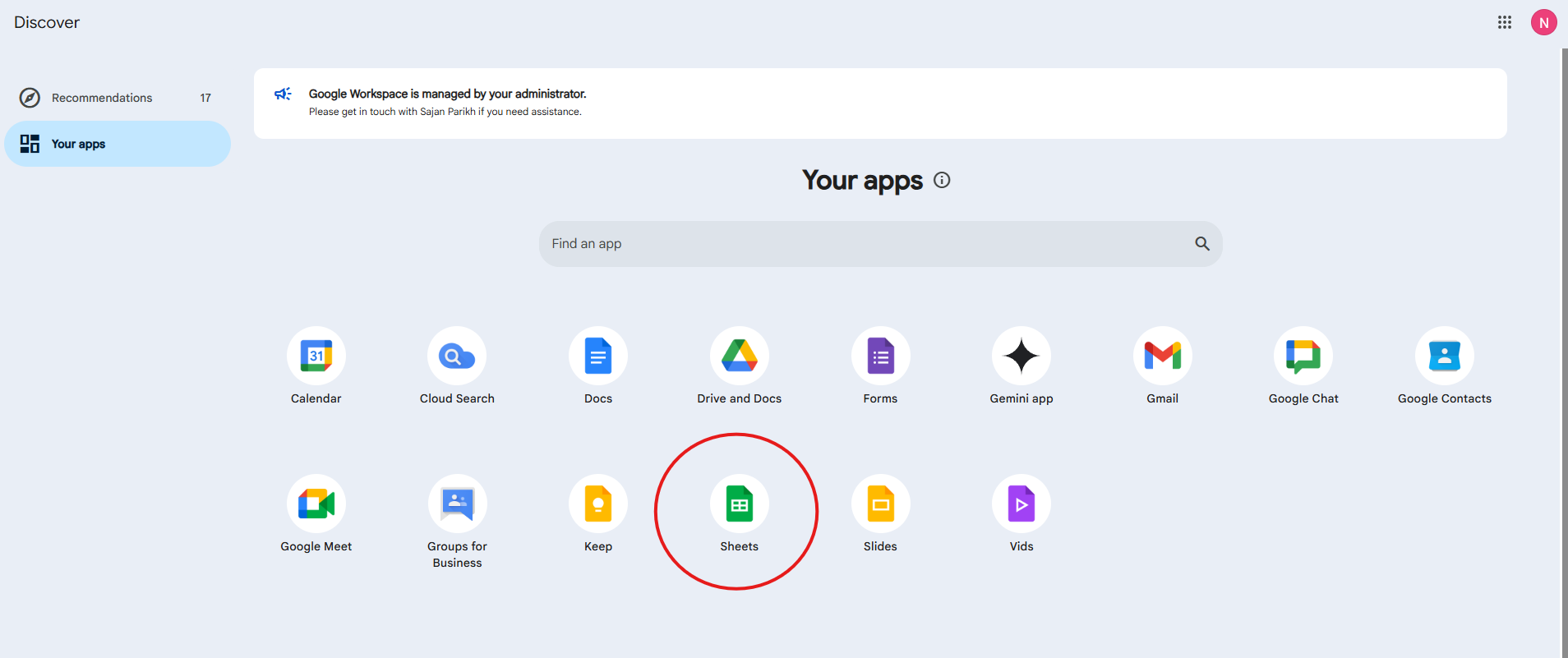
Open up your google workspace and click on the Sheets App.
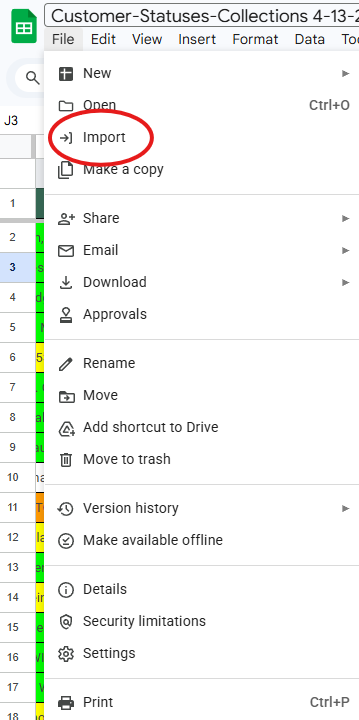
Once sheets is open click File at the top left and click Import.
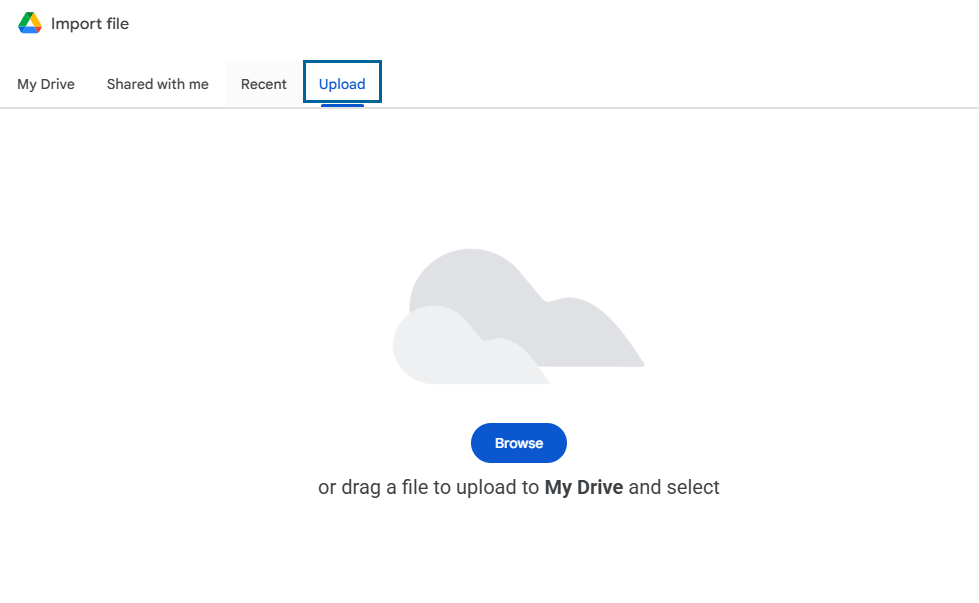
Click upload
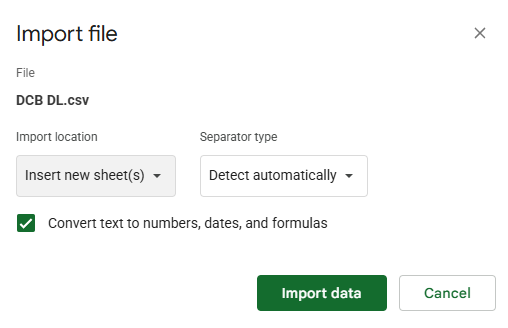
Select each file and import them 1 at a time, when doing so the import will come up with options. Make sure you choose 'Insert new sheet(s) and Detect automatically, then Import data.
At the bottom of each sheet is the Tab for that sheet. Right click and rename to the network like the following.

Next Highlight the entire list (NOT the page) and at the bottom right click convert to table.
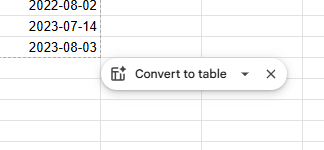
The list should only go to column G but adjust accordingly. Then once the table is made add the following Columns (Notes, Last Day Contacted, LEGEND) and leave space for clarity.
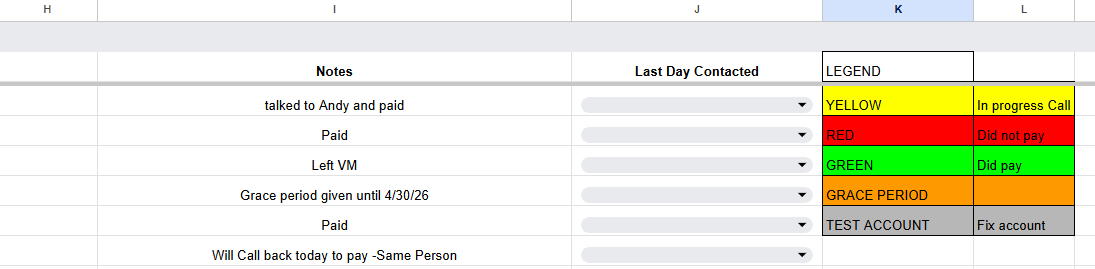
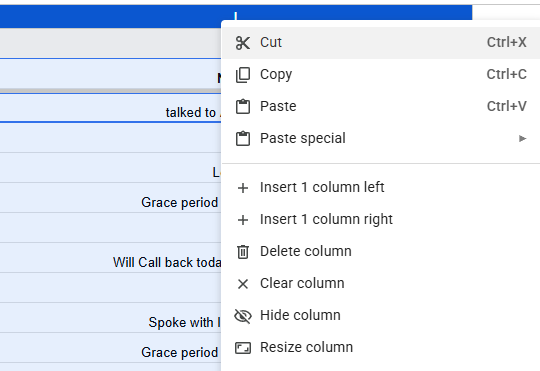
Notes should just be in Bold and centered with a column space for 400 to adjust this right click on the Column at the top and click resize column.
Last Day Contacted should be in bold centered and should include data validation again right click the column and select Data Validation.
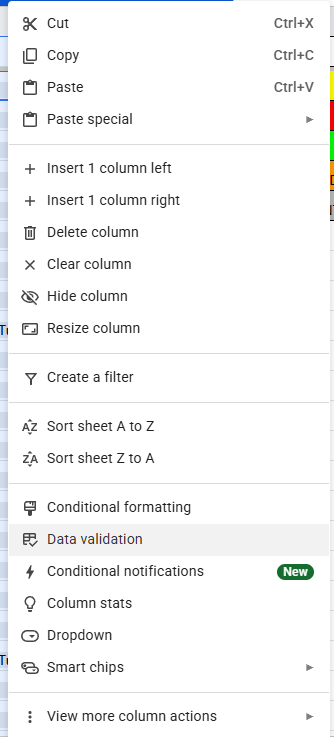
Then add (Monday, Tuesday, Wednesday, Thursday, Friday).
Now when people call they have a drop down menu to ensure we keep track of what days they talked with the customer. This is for LEGAL REASONS. (We can only contact them once a day regarding the debt), (Please read Policy if you have not).
Finally just make the Legend and color code it as follows.
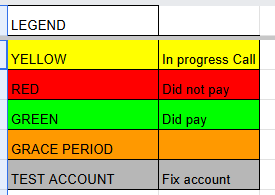
Once you've done this on all 4 sheets you are ready to share the document and have others help you work on it.
No comments to display
No comments to display